Deploying Signoz on Excloud
December 4, 2024 in Cloud Computing, Deployment by Ayaan Retiwala2 minutes
This guide shows you how to deploy Signoz on Excloud
Deploying SigNoz on Excloud
SigNoz is an open-source observability platform that helps you monitor your applications and services. It provides powerful features including:
- Application Performance Monitoring (APM)
- Distributed Tracing
- Metrics Monitoring
- Log Management
- Custom Dashboards
This guide will walk you through deploying SigNoz on Excloud, making it easy to monitor your applications.
Prerequisites
Before you begin, ensure you have:
- An active Excloud account Sign up for free here
- Basic familiarity with Linux commands
- SSH client installed on your local machine
Step 1: Create a New Instance
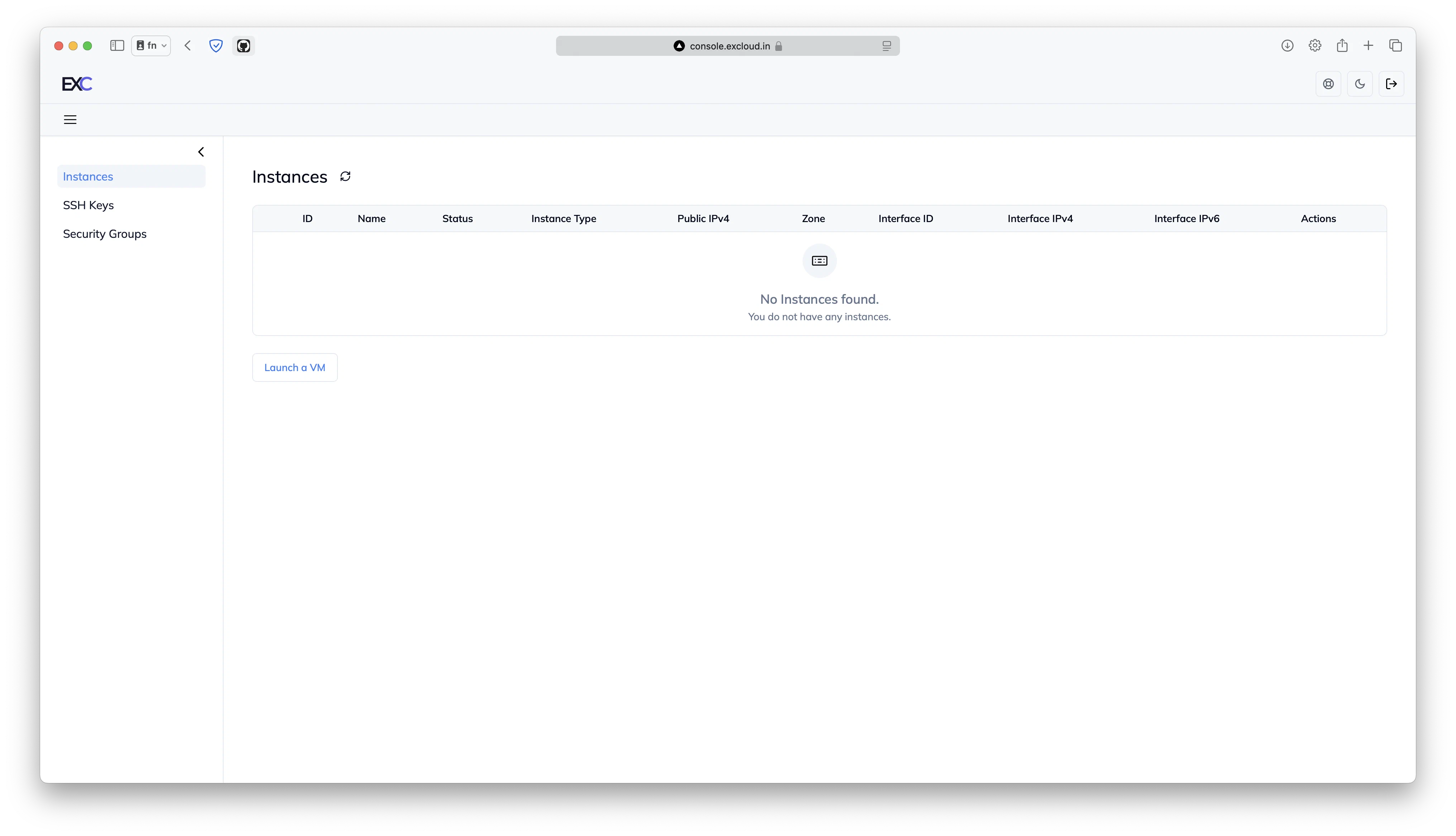
- Log in to your Excloud Dashboard
- Click on the “Launch a VM” button
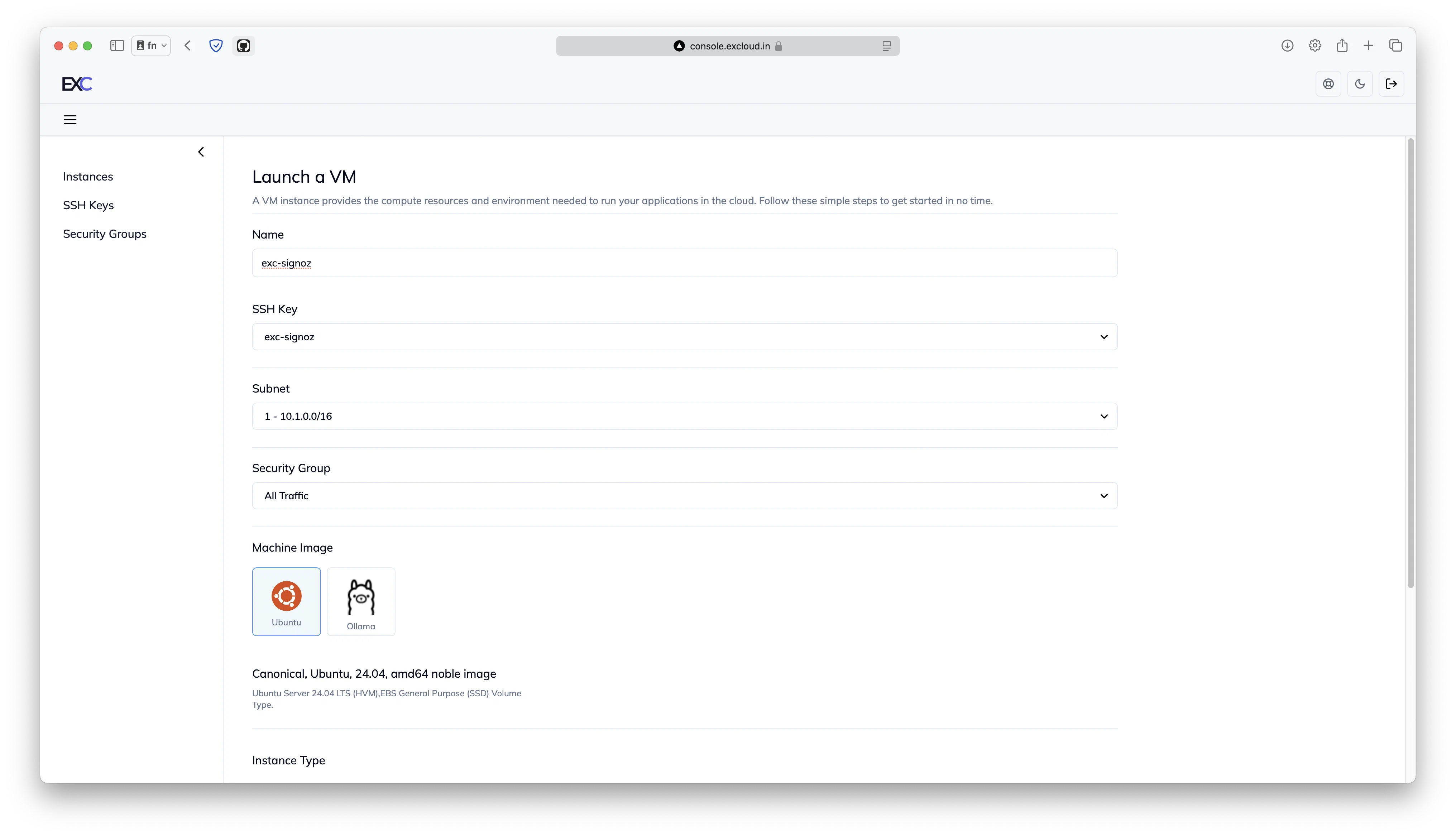
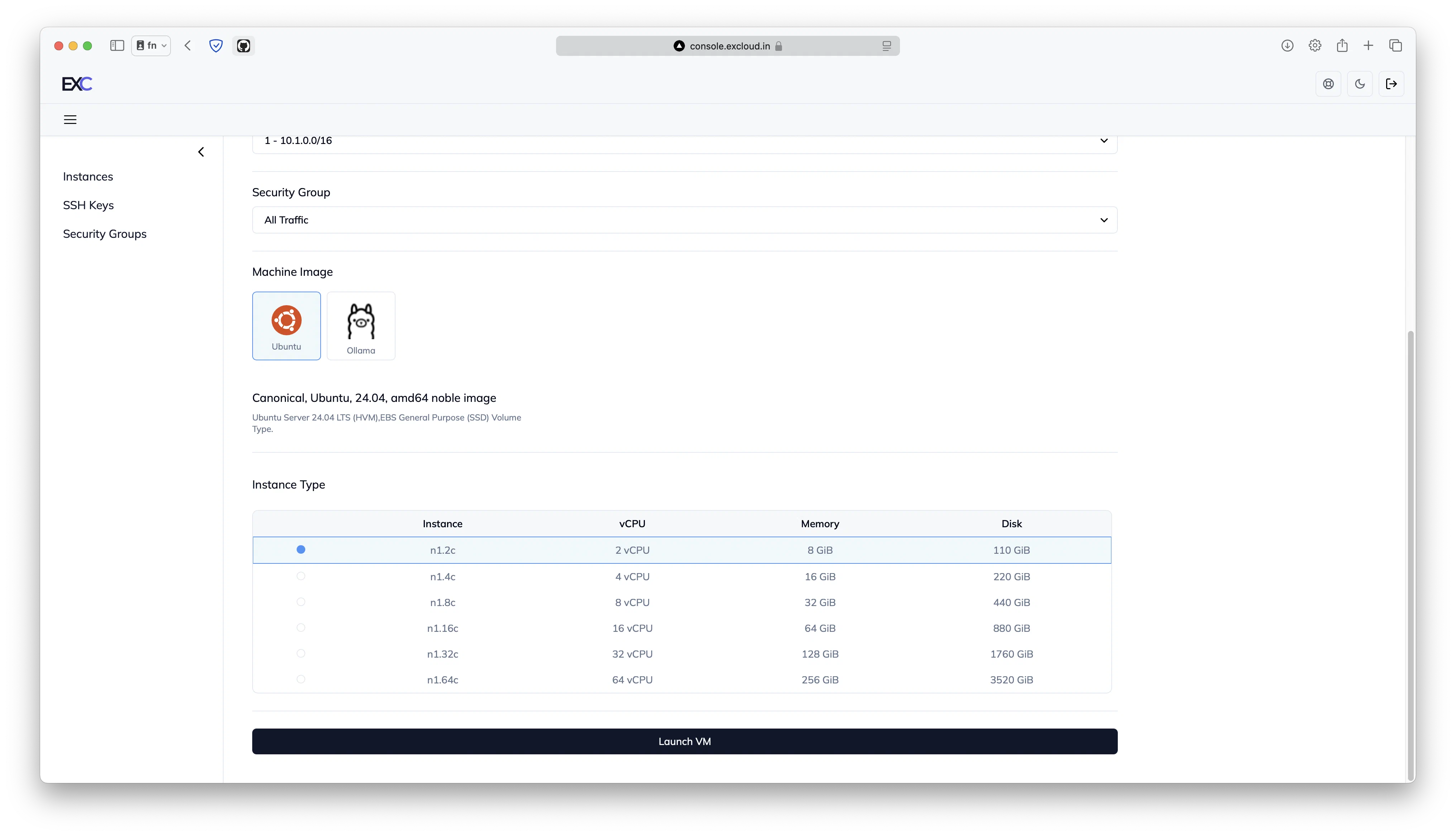
- Configure your instance with these specifications:
- Instance Type: n1.2c (2 vCPU, 8 GB RAM)
- Operating System: Ubuntu (latest LTS version)
- Storage: 110 GB (included by default)
Step 2: Connect to Your Instance
Once your VM is running:
- Connect to your instance:
ssh -i your-key.pem ubuntu@your-instance-ipStep 3: Install SigNoz
- Update your system packages:
sudo apt update && sudo apt upgrade -y- Install SigNoz using the official installation script:
git clone -b main https://github.com/SigNoz/signoz.git
cd signoz/deploy/
./install.sh
The installation process may take a few minutes to complete.
Step 4: Access SigNoz Dashboard
- Once installation is complete, open your web browser
- Navigate to:
http://your-instance-ip:3301 - Create your admin account on first login
Security Considerations
Remember to:
- Configure your instance’s security group to allow traffic only on required ports (3301 for UI, 4317 for OTLP)
- Use strong passwords for your SigNoz admin account
- Keep your Ubuntu system and SigNoz updated regularly
Next Steps
After successful installation, you can:
- Configure your applications to send telemetry data to SigNoz
- Set up alerts and notifications
- Create custom dashboards for your metrics
For more information on using SigNoz, visit their official documentation.